
So back in June last year there was the post around script tasks in an Azure DevOps release pipeline and there would be a second instalment, so here we go.

This article is going to cover option 1. Script File path in more detail as last year I did not actually now how to configure it :-).
Working with Variables
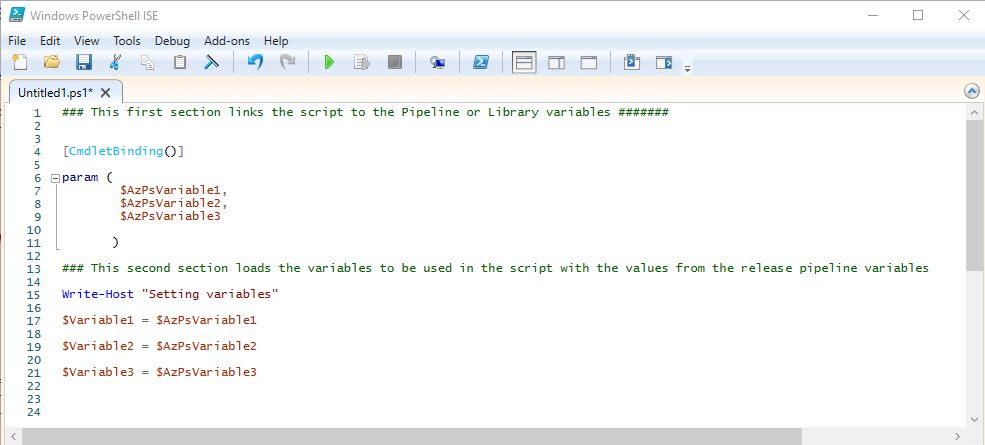
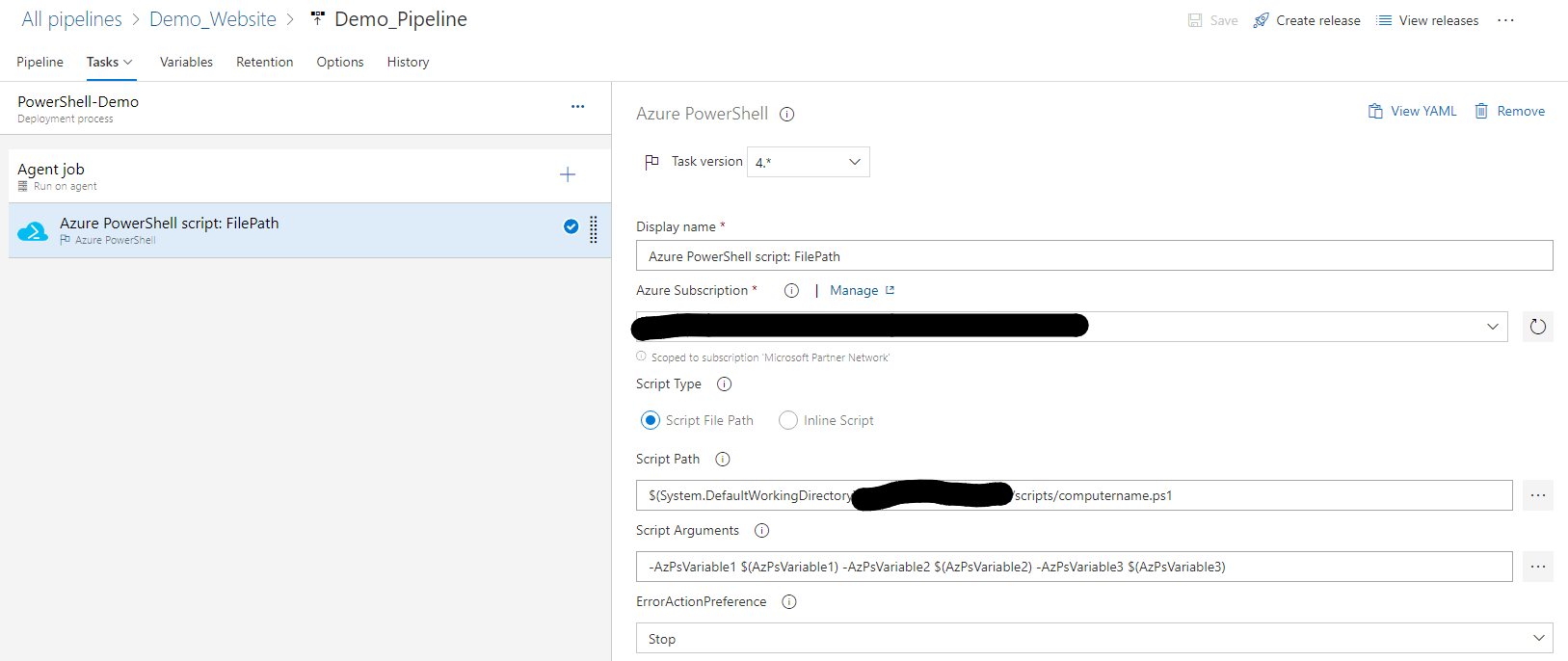
In the image below the initial script has been set with three variables, for illustration purposes only, I've created scripts with many more and while writing this will cover than more in a part three.
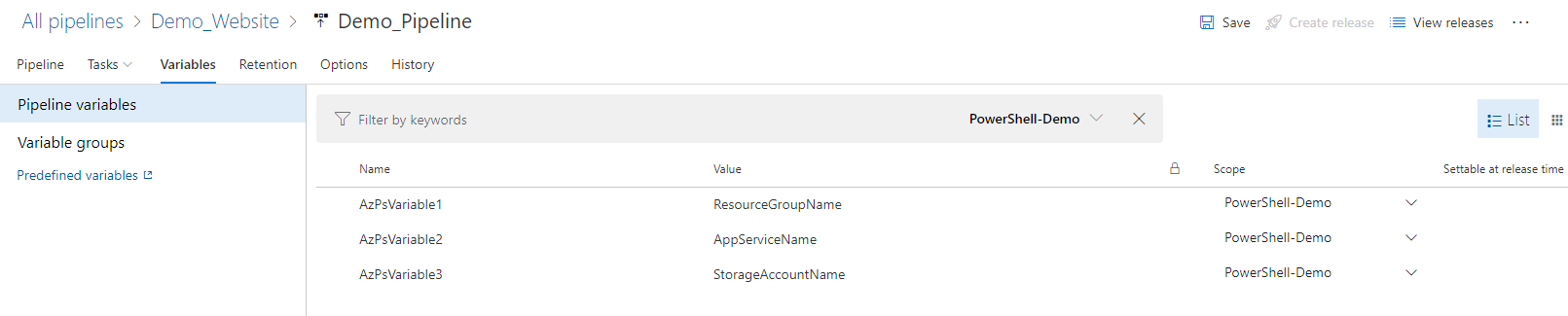
The matching variable names are then configured under the release pipeline variables tab
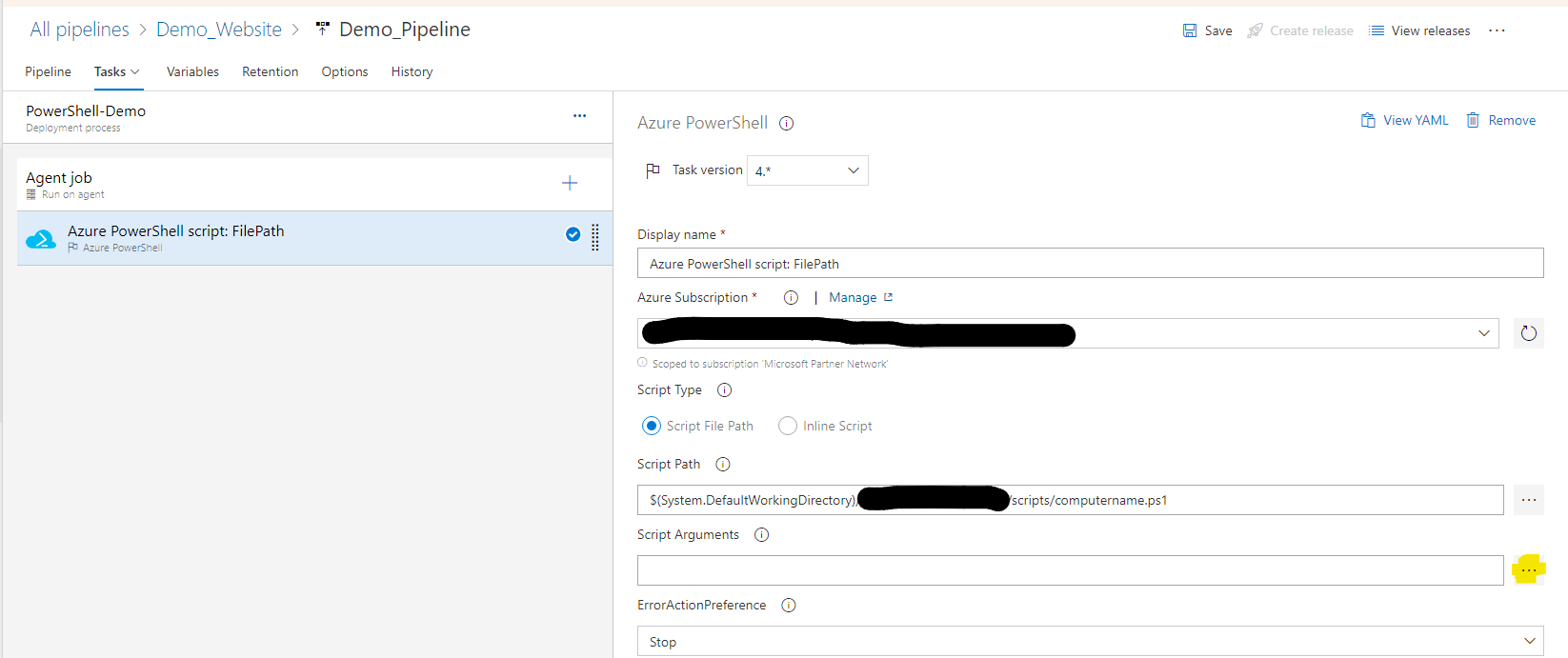
Back in the Task select the ... button to add the Script Arguments
Click Add to add each variable then OK
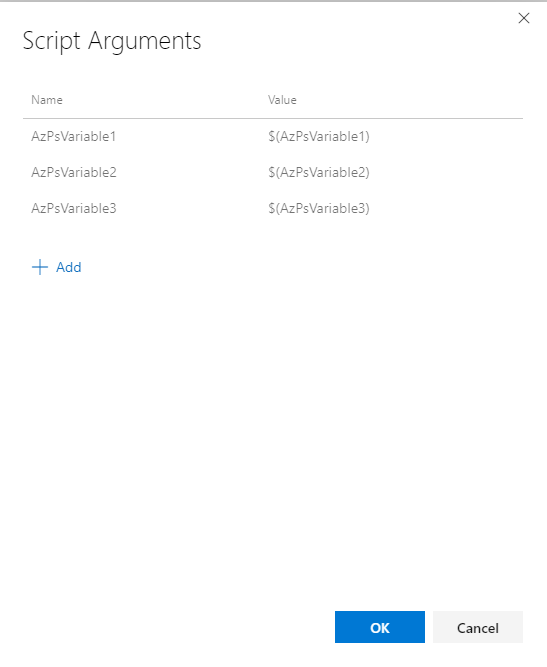
Click save and now you are ready to run the script using variables from the pipeline and removing the requirement to modify the script before using it in other pipelines
That's all for now, and the first article from scratch on this new platform
Thanks for taking the time to have a look